Yesterday Shenzen UFO Technology Co. released version 8.0.30.50 of their trojan-infested file manager Android app.
The good parts
The first noticable change is that the .apk file size dropped from 2.3 MiB to 1.9 MiB.
AndroidManifest.xml does not require permissions ACCESS_COARSE_LOCATION and ACCESS_FINE_LOCATION anymore. It also does not run in the background anymore.
And finally, I could not find a trace of the dark.silent trojan in their code anymore.
The bad parts
In my previous article I wrote that I used adb backup
to get a copy of the file manager for further analysis.
The Tinno/UFO people likely thought that havingfinding
trojans in their code is bad, and removed the
manifest's
android:allowBackup="true" application attribute.
Apart from that, the app still wants too many permissions:
- view network connections
- view Wi-Fi connections
- connect and disconnect from Wi-Fi
- download files without notification
- receive data from Internet
- full network access
- draw over other apps
Communication: Google
At first I tried to contact Google Play Store support via the "Flag as inappropriate" link, which led me to a "Report Inappropriate Apps" form. I provided a description, the google play store link and my contact data.
The only thing I got back was an e-mail telling me that I probably don't know what I do and I should "Please provide a link to the application on http://play.google.com *". I already gave them this information, so I stopped here.
Communication: Tinno
On 2018-01-13 I sent the then-listed email address "swrd@tinno.com" an email telling them that their file manager uses massive amount of mobile data. (I did not know about the trojan at that point).
I got an e-mail back stating
Sorry, we will fix this problem as soon as possible.
I sent them an e-mail on 2018-01-17 explaining that there is a trojan in their code. There was no response at all.
Communication: Wiko support
The saddest thing I did was contacting the German Wiko support. Here is the english translation of that "dialogue":
The default file manager of my Wiko Rainbow Up uses a massive amount of mobile data since mid of december (December: 340 MB and January (1.-12.) 437MB).
Why does that happen? A file manager should not open any internet connections.
Me, 2018-01-13
We're sorry bullshit etc.
To find out which application uses those data, open the settings -> data usage -> mobile data usage. [...]
We hope we could help you.
German Wiko Support, 2018-01-15
No, you did not help me. You did not even read my e-mail.
I already wrote that the file manager is the one using mobile data.
The question is why you are shipping a file manager that uses mobile data. So tell me why.
Me, 2018-01-16
The file manager is a program, with which you can list applications and files, that can be moved.
As we already told you, the file manager is not the one using mobile data, but some other application.
The way suggested by my colleague is the correct one to find out which application is that.
German Wiko Support, 2018-01-16
The file manager uses mobile data.
The file manager contains a trojan, which loads malicious code from the internet. I attached screenshots and analyzed that: https://cweiske.de/tagebuch/dark.silent.htm.
You will see that the file manager is responsible for the data usage.
Me, 2018-01-17
As we read from your e-mail, you are worrying that you have a trojana [yes, their writing!] on your device.
We would suggest that you re-flash your device. Here are the steps: [...]
If the update is successful and the error has been fixed, please do not download all applications back onto your device.
Perhaps an application installed by you is causing this problem. Load applications one by one onto your device to find the fauly app.
German Wiko Support, 2018-01-22
(shibboleth) [yes, I was desperate enough to try it]
I have followed the steps that you advised and reset the device to factory settings. I did not install any apps.
The file manager did not use any mobile data.
After getting the lateset file manager update via the Google Play Store, it began using mobile data again. Also, after the update sudden wifi disconnects started to appear.
Me, 2018-01-22
[empty e-mail]
German Wiko Support, 2018-01-23
That's it. Support hell.
Fun
After noticing myself that a new com.ape.filemanager version had been released, I saw that "Shenzhen UFO Technology Co.,Limited" had changed their Google Play profile. Their homepage is now ufomobi.com and their e-mail address is admin-googleplay@ufomobi.com.
On that new homepage, they list their clients:
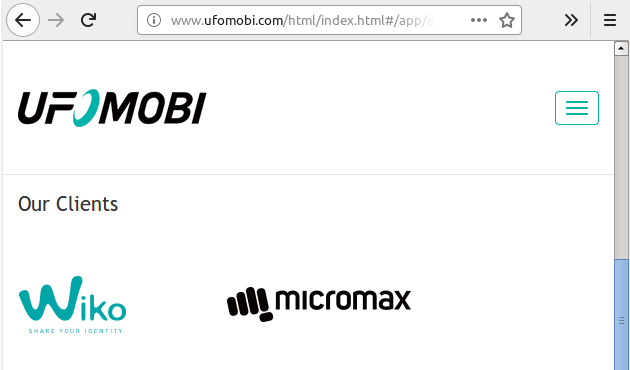
Look at the Wiko logo: Share your identity
.
Given that their malicious trojan payload probably uploaded all the user's data to ad networks, that slogan told the truth - fully.