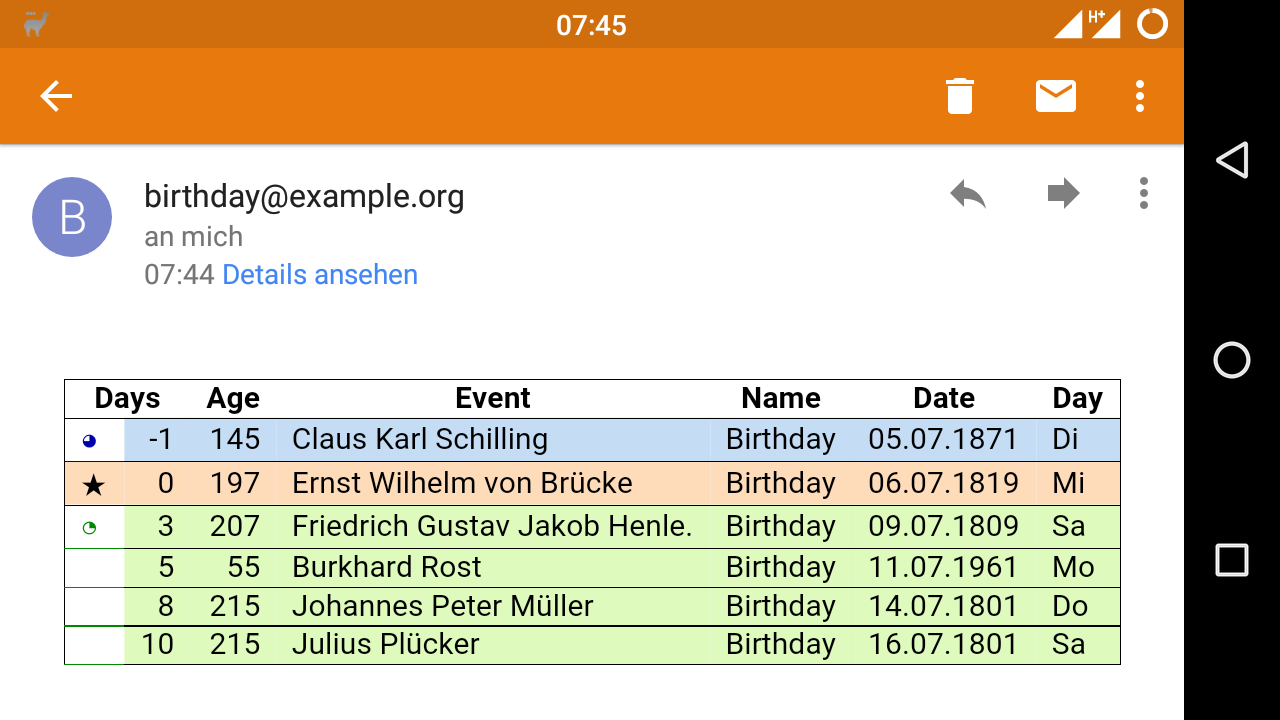
I'm using bdrem to get notified about current and upcoming birthdays by e-mail.
bdrem sends e-mails with both a text/plain and a text/html MIME part. The HTML e-mails looked nice in Thunderbird and Claws, but not so on the stock Android mail client.
Reason for this was that I - as it is being done on web pages - simply prepended a <style> tag to the HTML table markup. This is not supported by some mail clients, and thus background colors and watchclock-icons were missing.
CSS in HTML
In HTML e-mail, you are supposed to inline all your styles:
<p style="color: red; padding: 5px;">..</p>
Normal <style> blocks are stripped when the e-mail is displayed to the user.
I think the technical reason for this behavior is that the layout of web mail clients would break when they show emails that re-define the client's layout with their <style> tags.
We cannot use scoped CSS in HTML yet (CSS that only gets applied to the content of a certain tag) - and probably never will. If browsers supported it, web mailers could support <style> tags without fear.
Inlining CSS
I did not want to maintain two HTML variants in bdrem, so I looked for a way to re-use the existing HTML and CSS by inlining the CSS into HTML tags automatically.
For PHP you could use the emogrifier library, but that was a dependency I did not want to introduce.
Instead I opted to write the CSS inliner myself. It isn't that hard:
- Parse CSS rules into an array with the rule as key and the desired style as value
- Convert each CSS rule into XPath
- Load the HTML code with SimpleXML
- Iterate through all elements matched by the XPaths and add the style attribute
The CSS rules I use for bdrem are not complex, and selecting elements by class in XPath is doable.
In the end the method has 70 lines of code and does the job nice.
Size
Inlining CSS rules into tags greatly increases the size of the HTML code, since rules are repeated again and again for every matching tag.
Here are the email sizes for a birthday reminder e-mail containing a list of 6 anniversaries:
| Format | Size in bytes |
|---|---|
| Plain text | 846 |
| HTML, CSS in <style> tag | 4171 |
| HTML, CSS inlined | 8931 |
While the basic HTML version adds 300% to the plain text e-mail, just inlining CSS doubles the size of the HTML e-mail.
Result
My android phone - and probably also web mailers - displays the birthday reminder mails in a nice way now: